title: “Bubble Sort Algorithm” format: revealjs editor: visual —
What is Bubble Sort?
Bubble sort is a simple sorting algorithm. This sorting algorithm is comparison-based algorithm in which each pair of adjacent elements is compared and the elements are swapped if they are not in order. This algorithm is not suitable for large data sets as its average and worst case complexity are of O(n2) where n is the number of items.
Bubble Sort — Step-by-Step Explanation
Bubble Sort works by repeatedly exchanging adjacent elements, if necessary. When no exchanges are required, the list is sorted.
We assume list is an array of n elements.
We also assume a swap function is available to swap the values of two elements in the array.
Steps:
- Check if the first element in the array is greater than the next element.
- If greater, use
swapto exchange the two elements.
Otherwise, move the pointer one step forward. - Repeat Step 2 until the end of the array is reached.
- Check if the array is sorted:
If not, repeat the process (Steps 1–3), working your way from the start again. - Result: After all necessary passes, the final array will be sorted.
To understand this algorithm better, look at how iterations work Link.
Time Complexity
- Worst: \(O(n^2)\)
- Best: \(O(n)\) (already sorted)
- Space: \(O(1)\)
Animation Setup in Manim
We start by creating a class that inherits from Scene.
Code
from manim import *

class BubbleSortBarGraph(Scene):
    def construct(self):
Explanation:
Scene is a basic animation canvas in Manim.
construct() is where we define the animation steps.
Step 1: Add a Title
Code
title = Text("Bubble Sort Algorithm", font_size=48)
title.to_edge(UP)
self.play(Write(title))
Explanation:
Text(...)creates a large title.- `to_edge(UP) places it at the top.
Write(...)animates the drawing of text.
Step 2: Display the Bubble Sort Code
Code
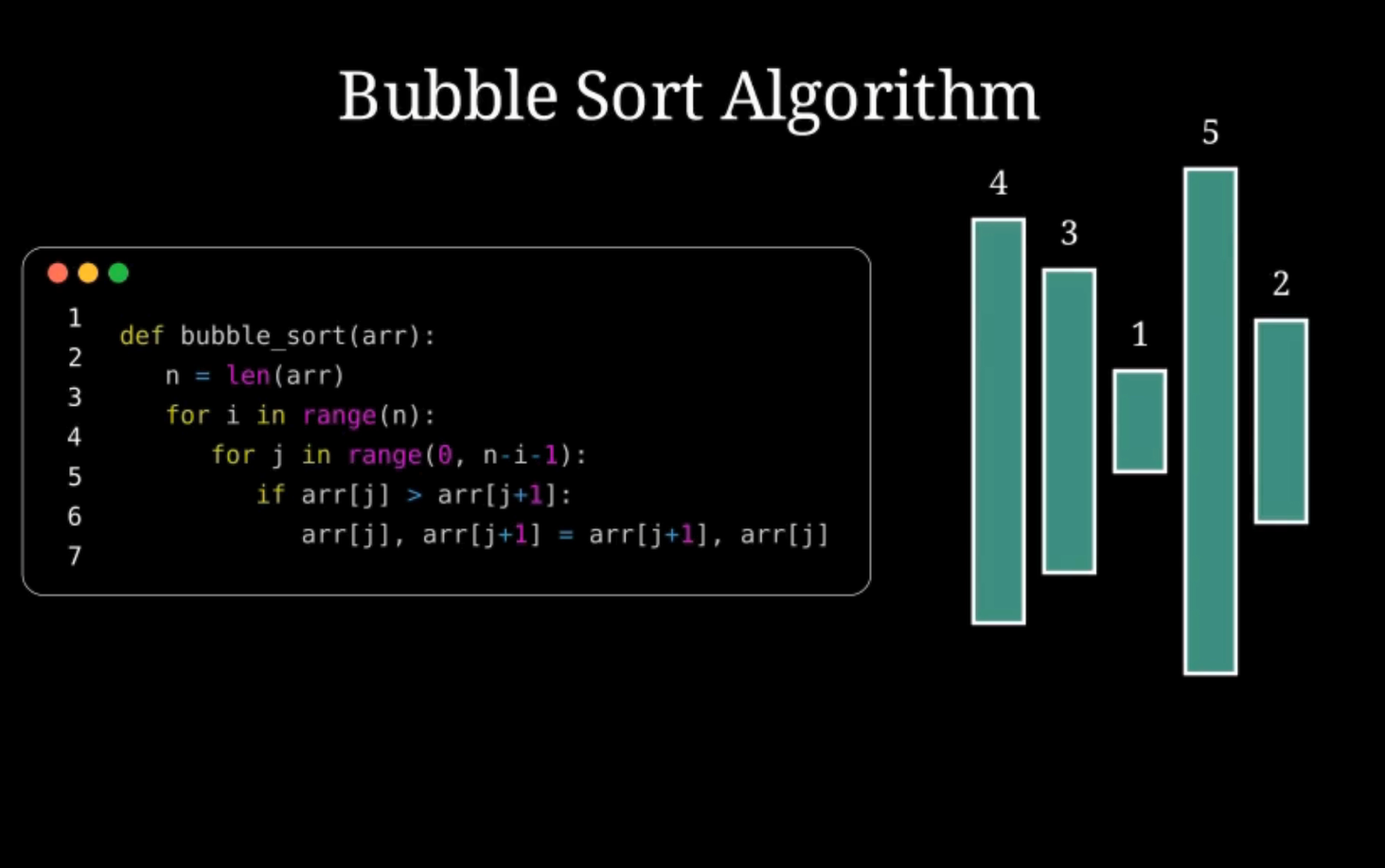
code = Code(
    code=\"""
def bubble_sort(arr):
    n = len(arr)
    for i in range(n):
        for j in range(0, n-i-1):
            if arr[j] > arr[j+1]:
                arr[j], arr[j+1] = arr[j+1], arr[j]
    \""",
    language="python",
    font_size=18,
    background="window",
    background_stroke_color=WHITE,
    line_spacing=1.1
)
code.to_edge(LEFT, buff=0.5)
self.play(Create(code))
Explanation of bubble_sort Function
Below is a step-by-step breakdown of how the bubble_sort function works:
'def bubble_sort(arr):'— Defines a function namedbubble_sortthat takes one argument,arr, which is the list of elements to be sorted.'n = len(arr)'— Calculates the length of the list and stores it in the variablen.'for i in range(n):'— Starts the outer loop which runsntimes to ensure all elements are sorted.'for j in range(0, n - i - 1):'— The inner loop that compares adjacent items, stopping earlier each pass since the lastielements are already in place.'if arr[j] > arr[j + 1]:'— Checks if the current element is greater than the next; if so, they’re in the wrong order.'arr[j], arr[j + 1] = arr[j + 1], arr[j]'— Swaps the two elements using Python’s tuple unpacking, putting them in the correct order.
Notes on Display (for animations or Manim visualizations):
- Use
Codeto render Python syntax-highlighted code. background="window"gives the code a framed, code-window appearance.- Use
.to_edge(LEFT)to position the element to the left side of the screen.
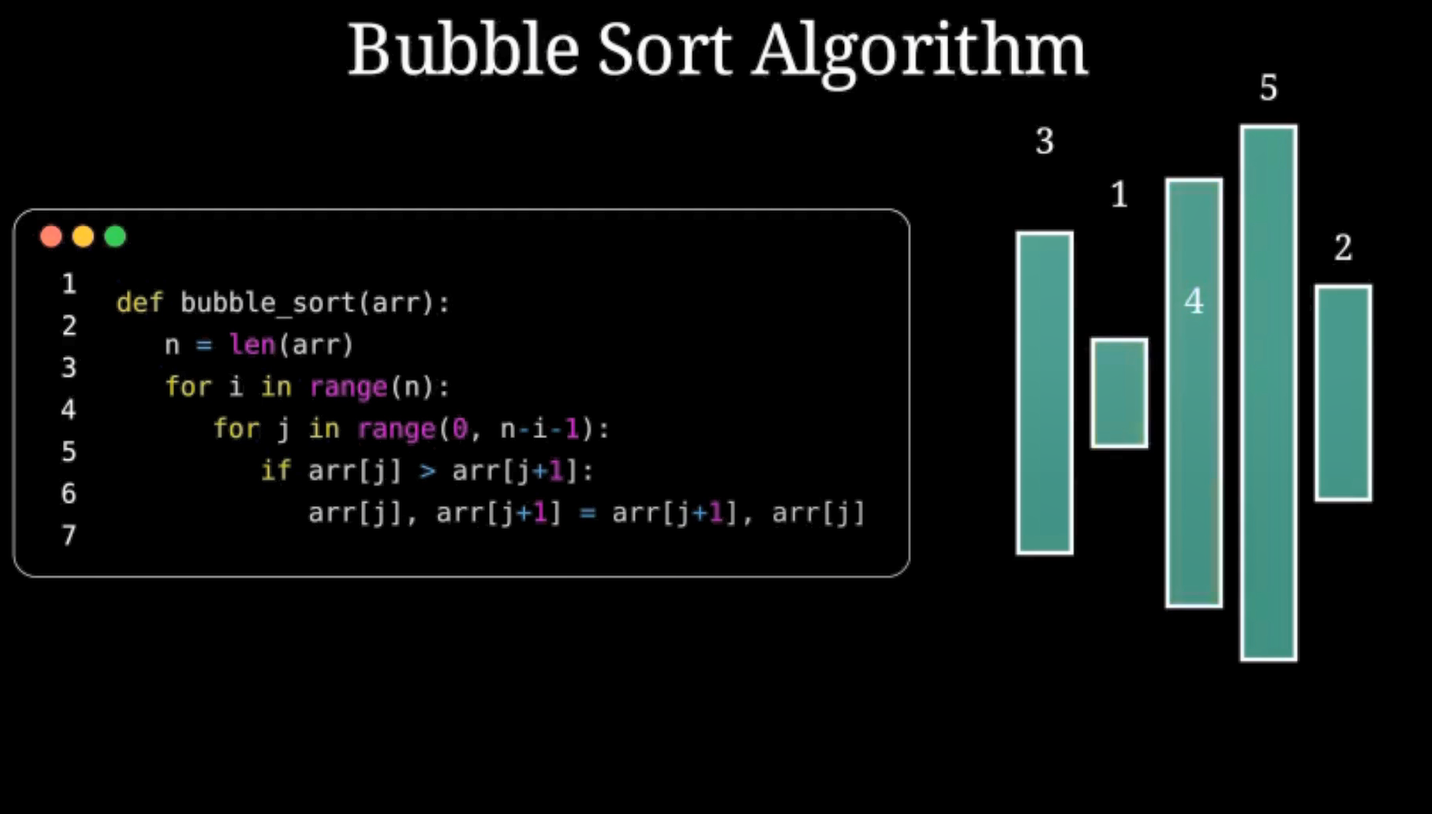
Step 3: Create the Bar Graph
Code
array_values = [4, 3, 1, 5, 2]
bars = VGroup(*[
    Rectangle(height=value, width=0.5).set_fill(TEAL, opacity=0.7).set_stroke(WHITE)
    for value in array_values
])
bars.arrange(RIGHT, buff=0.2).to_edge(RIGHT, buff=1)
Explanation:
array_valuescontains the data to sort.- Each number becomes a rectangle (
Rectangle) with its height set. VGroupgroups them, andarrange(RIGHT)lines them up horizontally.- The graph is placed on the right side of the screen.
Step 4: Label Each Bar
Code
labels = VGroup(*[
    Text(str(value), font_size=24).next_to(bar, UP)
    for value, bar in zip(array_values, bars)
])

for bar, label in zip(bars, labels):
    self.add(bar, label)
Explanation:
- For every bar, a number is displayed just above it.
next_to(bar, UP)positions the label above the rectangle.
Step 5: Animate Bubble Sort Logic
We now animate the actual sorting process.
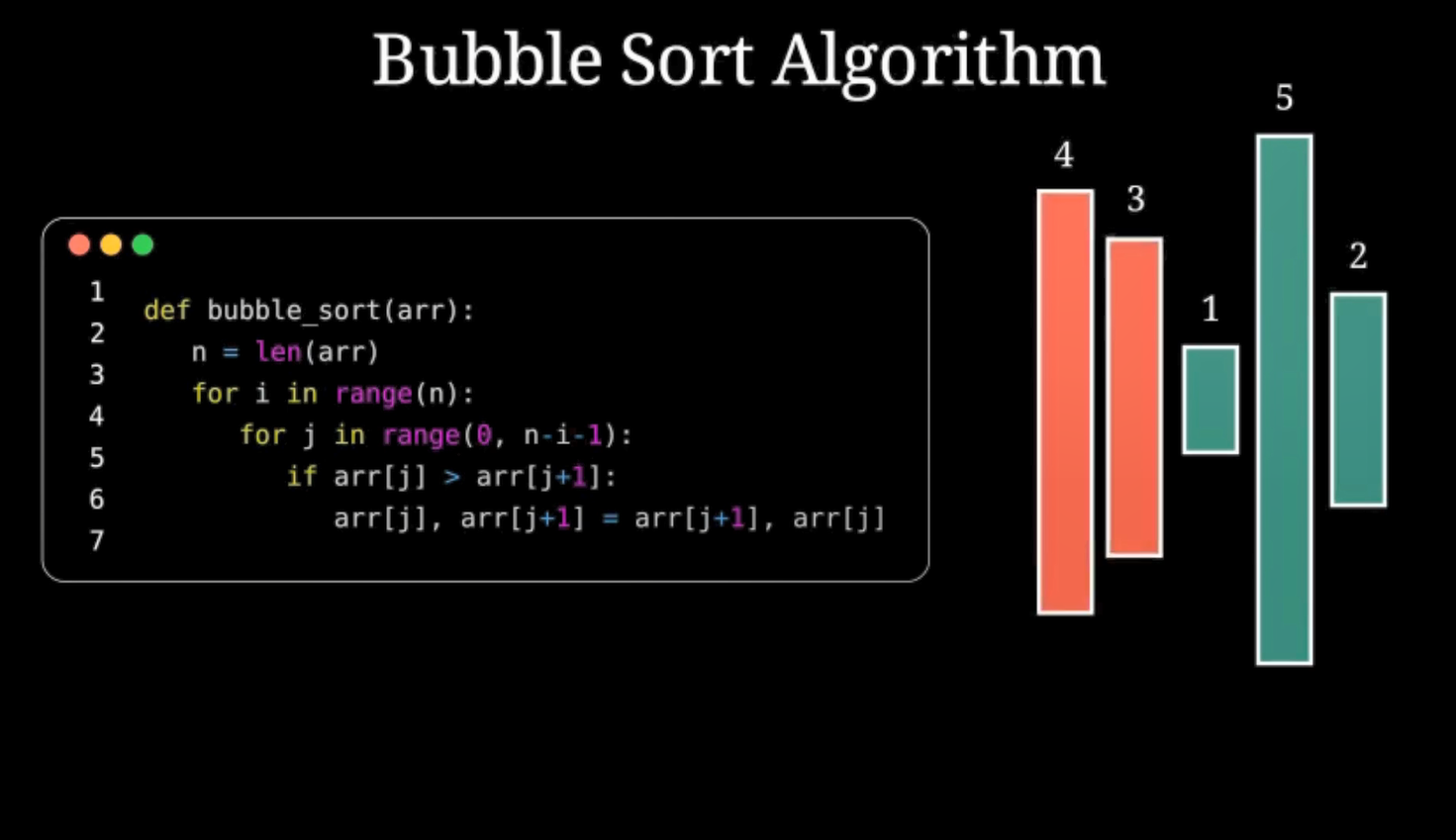
Highlighting Bars Being Compared
self.play(
    bars[j].animate.set_fill(RED, opacity=0.9),
    bars[j + 1].animate.set_fill(RED, opacity=0.9)
)
self.wait(0.5)
Explanation:
- Highlights the two bars currently being compared.
- Makes them red for visibility.
- A short wait to let the viewer see the action.
Swap If Necessary
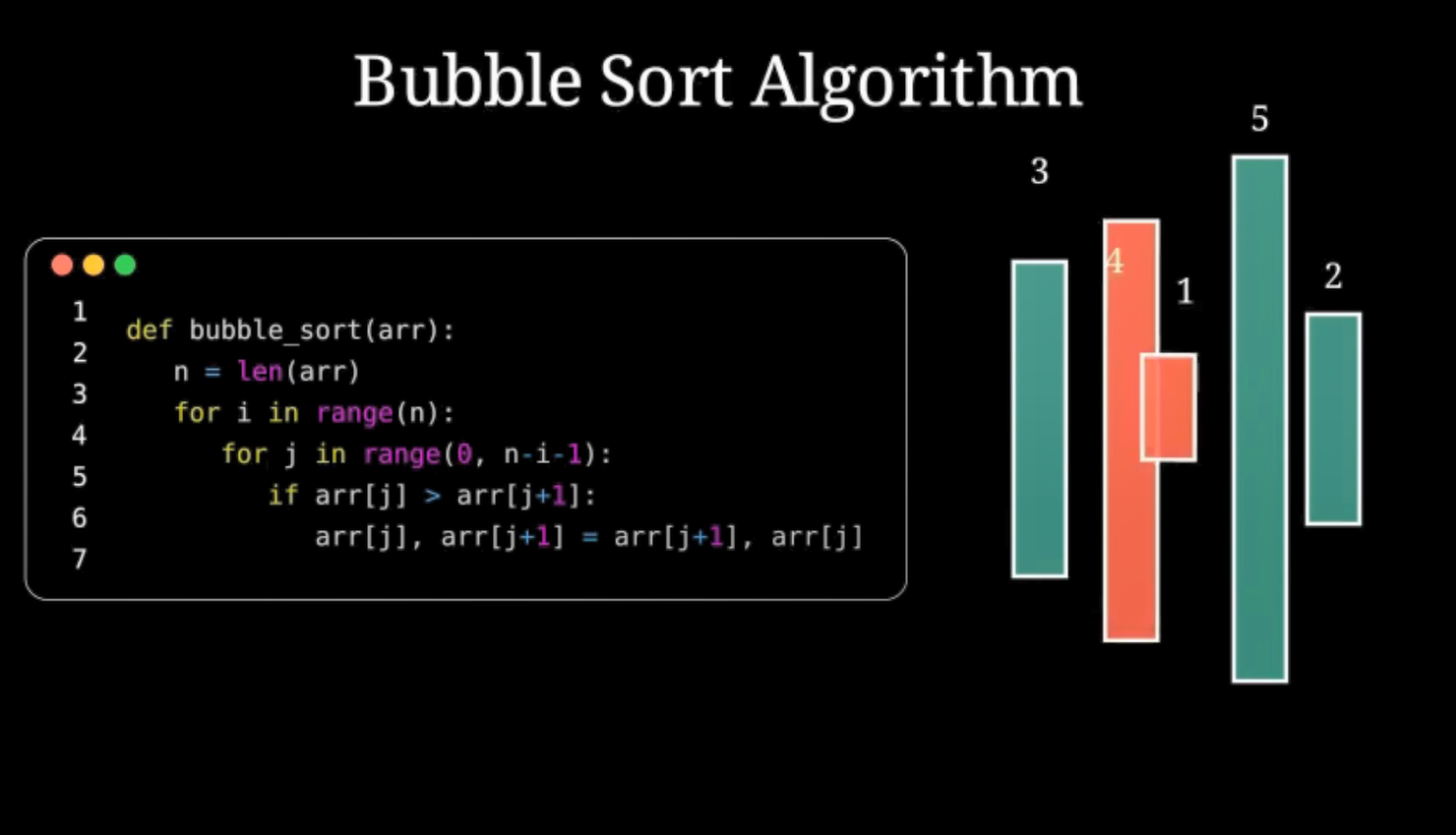
if array_values[j] > array_values[j + 1]:
    array_values[j], array_values[j + 1] = array_values[j + 1], array_values[j]
    self.play(
        Swap(bars[j], bars[j + 1]),
        Swap(labels[j], labels[j + 1])
    )
    bars[j], bars[j + 1] = bars[j + 1], bars[j]
    labels[j], labels[j + 1] = labels[j + 1], labels[j]
Explanation:
- If the first value is greater, swap the values.
Swap(...)animates the bars and labels switching places.- We also update the internal Python lists so that future swaps are based on the new positions.
Reset Colors After Comparison
self.play(
    bars[j].animate.set_fill(TEAL, opacity=0.7),
    bars[j + 1].animate.set_fill(TEAL, opacity=0.7)
)
self.wait(0.2)
Explanation:
- Sets the colors back to teal, restoring the original color scheme.
- Waits a little to show progress.
Step 6: End the Animation
Code
self.wait(1)
self.play(FadeOut(bars), FadeOut(labels), FadeOut(code), FadeOut(title))
Explanation:
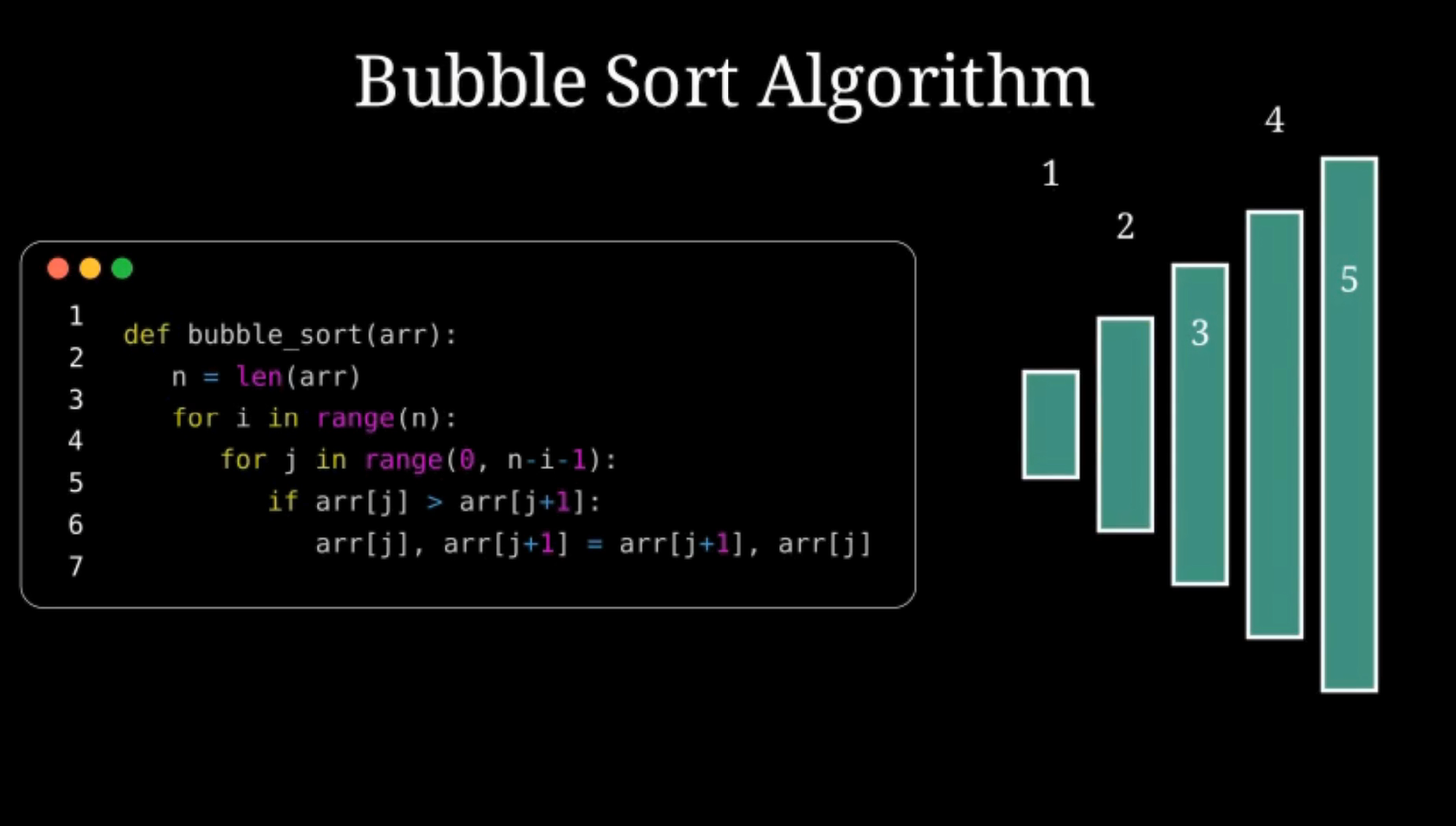
- Waits one last second to let the viewer see the sorted array.
- Fades everything out for a clean end.
Try it Yourself!
To try your own array, simply change:
array_values = [4, 3, 1, 5, 2]Try:
- Already sorted:
[1, 2, 3, 4, 5] - Reverse sorted:
[5, 4, 3, 2, 1] - Random values
Summary
In this Presentation, you:
- Learned how Bubble Sort works
- Displayed code using Manim
- Created a dynamic bar graph with labels
- Animated the comparison and swapping of values
- Used colors and transitions to enhance understanding